Why AI Narration Can Sound Flat
Default text-to-speech settings are optimized for clarity and intelligibility, not performance. The AI has no idea whether your text is a love letter, a thriller climax, or a product manual. It treats everything the same way: even pacing, neutral tone, zero emotional context.
The result is technically correct speech that sounds like a GPS reading your screenplay. The words are right, but the delivery is empty.
The fix is not better AI. It is better direction. When you provide emotional context — through punctuation, pacing controls, pauses, and voice modifiers — the same AI voice transforms from flat to expressive.
Start With the Right Voice
Not all AI voices handle emotion equally. Some voices are naturally suited to calm, measured delivery. Others carry more energy and respond better to dramatic direction. A voice that sounds warm and gentle will never sell urgency, no matter how many exclamation marks you add.
Test before committing. Generate a short emotional passage with three or four different voices. Listen for which voice has the most natural range — the one that sounds different when you change the delivery style, rather than the one that sounds the same regardless of direction.
In VoiceOverMaker, preview voices with your actual script text rather than generic sample sentences. A voice that sounds great reading "Hello, how are you?" might fall flat on "I never thought I'd see you again."
Use Punctuation as Direction
Punctuation is your most powerful free tool. AI voice engines interpret punctuation marks as performance cues, not just grammar markers.
- Ellipses create hesitation and pauses... The voice trails off, creating suspense or uncertainty.
- Exclamation marks add energy! The pitch rises, the delivery quickens, the intensity increases.
- Short sentences. Build. Tension. Each period forces a micro-pause that creates rhythm and emphasis.
- Questions raise pitch? The natural upward inflection at the end signals curiosity or uncertainty.
- Dashes create — sudden interruptions. The break feels different from a comma pause, more abrupt and dramatic.
Think of punctuation as stage directions embedded in your script. A comma says "brief breath." A period says "full stop, reset." An ellipsis says "let that hang in the air..."
Control Pacing
Pacing is the single biggest factor that separates robotic narration from human-sounding delivery. Real human speech never maintains a constant speed. We slow down for important information, speed up when excited, and vary our rhythm naturally throughout a conversation.
Slower pacing for emotional moments. When a character receives devastating news, the words should land slowly. Give each word weight. Let the listener feel the gravity.
Faster pacing for excitement. Action scenes, building tension, enthusiastic descriptions — these demand forward momentum. The listener should feel pulled along by the pace.
Natural variation keeps listeners engaged. If your entire narration runs at one speed, the listener's brain tunes out. The variation itself — the contrast between fast and slow — is what holds attention.
Add Strategic Pauses
Silence is one of the most powerful tools in narration. A well-placed pause changes the meaning and impact of everything around it.
- Pause before key reveals. Build anticipation. Let the listener lean in before you deliver the critical information.
- Pause after emotional moments. Give the audience time to process. Don't rush past a powerful line into the next sentence.
- Pause between scene transitions. Signal that we're moving to a new location, time period, or perspective.
- Pause for emphasis. The word that comes after silence carries extra weight.
In VoiceOverMaker, you can insert pauses of varying lengths between sections. Use shorter pauses (0.5-1 second) for emphasis within a scene, and longer pauses (1.5-3 seconds) for transitions between scenes or chapters.
Adjust Intensity
Intensity controls how much energy and volume the voice projects. Think of it as the difference between a whisper and a shout — and everything in between.
- Whispered delivery for intimate moments. Internal thoughts, secrets shared between characters, quiet confessions.
- Moderate intensity for narration. The default storytelling voice that carries information without demanding attention.
- Full projection for climactic scenes. Confrontations, revelations, moments of triumph or despair that demand the audience feel the weight.
Match intensity to the scene, not to your preference. A whispered delivery during an argument feels wrong. A shouted delivery during a tender moment feels jarring. Let the content dictate the intensity level.
Use Emotional Direction with Voice Modifiers
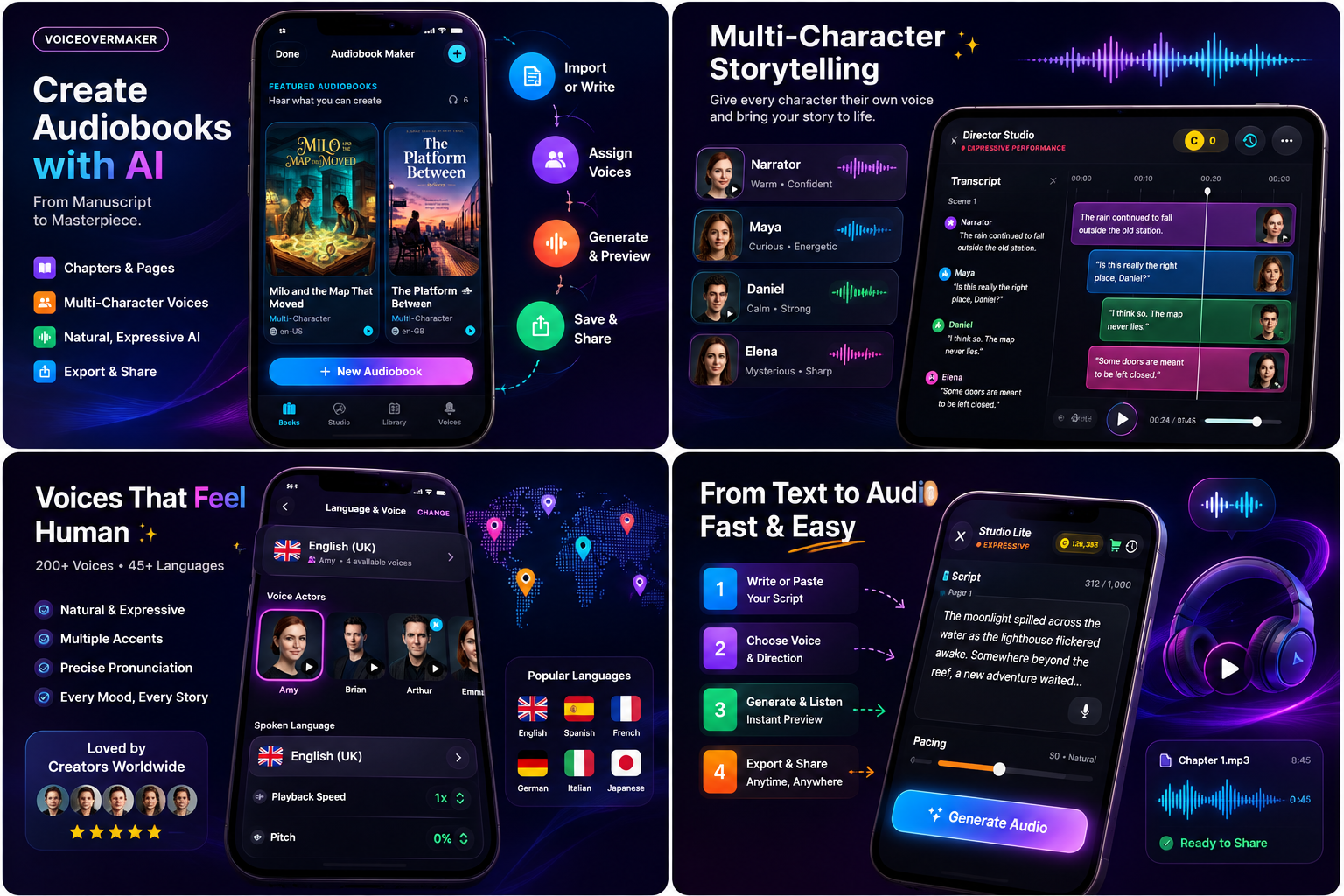
VoiceOverMaker's voice modifiers let you change how text is delivered without changing the voice itself. Think of them as director's notes — the same actor performing the same line with different motivation.
Each modifier adjusts the voice's pacing, pitch variation, breathiness, and energy level. The underlying voice character remains the same — listeners still recognize it as the same narrator — but the emotional quality shifts dramatically.
Combine modifiers with pacing changes for maximum effect. A "Dramatic" modifier at slower pacing creates gravitas. An "Excited" modifier at faster pacing creates urgency. Experiment with combinations to find the exact delivery your scene needs.
Context Matters: Same Words, Different Delivery
The sentence "I'm leaving" carries completely different meaning depending on the scene. Without direction, the AI will read it neutrally. With direction, it becomes a performance.
"I'm leaving."
Sad farewell — Soft modifier, slow pacing, pause before "leaving"
Angry departure — Intense modifier, sharp pacing, emphasis on "leaving"
Casual goodbye — Warm modifier, normal pacing, no special emphasis
Reluctant decision — Calm modifier, slow pacing, ellipsis after ("I'm... leaving.")
Before generating any section, ask yourself: what does the character feel in this moment? What do I want the listener to feel? Then choose your modifiers, pacing, and punctuation to support that intention.
Maintain Character Consistency
When using emotional direction across a longer piece — an audiobook chapter, a podcast episode, a narrative video — the character's emotional range should always feel like the same person.
A narrator who is calm and measured in chapter one should still sound like the same narrator when they become intense in chapter five. Change the delivery, not the voice identity. Use the same base voice throughout and rely on modifiers and pacing to create emotional range.
If you are working on a multi-character audiobook, assign each character a consistent base voice and emotional range. The protagonist might shift between Calm and Intense, while the antagonist stays between Confident and Dramatic.
Test Scene by Scene
Never generate an entire project at once and assume it works. Listen to emotional transitions individually. Does the shift from calm narration to sudden excitement feel natural? Does the quiet moment after the climax land properly?
Listen for these common problems:
- Emotional shifts that feel too sudden — add a transitional sentence or pause between moods
- Intensity that does not match the content — re-read the scene and ask what the character actually feels
- Pacing that undercuts the moment — slow down important lines, speed up connective tissue
- Monotone delivery in sections that should vary — break long paragraphs into shorter sentences with different punctuation
Before and After: The Difference Direction Makes
Here is a single line — "Don't open that door" — and how it transforms with different direction approaches:
No direction (flat): "Don't open that door." — Even pacing, neutral delivery, no emotional signal.
Cautious: "Don't... open that door." — Soft modifier, slow pacing, ellipsis creates hesitation.
Angry: "Don't open that door!" — Intense modifier, sharp pacing, exclamation adds force.
Frightened: "Don't — open that door." — Whisper modifier, dash creates a catch in the voice.
Urgent: "Don't open that door! Don't!" — Excited modifier, fast pacing, repetition builds pressure.
Same five words. Five completely different performances. The AI did not change — your direction changed. That is the craft of expressive text-to-speech.
VoiceOverMaker's Expressive Workflow
Here is how to put all these techniques together in VoiceOverMaker:
- Performance Studio: Break your script into sections. Each section can have its own voice modifier, pacing, and delivery style.
- Voice Modifiers: Apply Calm, Excited, Dramatic, Whisper, Confident, Warm, Soft, or Intense to each section independently.
- Pacing Controls: Set speed per section. Slow down for emotional beats, speed up for action.
- Delivery Styles: Combine modifiers with punctuation direction in your script text for maximum expressiveness.
- Preview and Iterate: Listen to each section, adjust, and regenerate until the delivery matches your creative vision.
The entire workflow is designed so you never need to leave the app. Write, direct, generate, listen, adjust — all in one place. If you are converting a full book, see our guide on turning a book into an audiobook with AI.
For children's content that requires extra warmth and character variety, check out our guide on creating children's audiobooks with AI voices.
Key Takeaways
- Flat AI speech is a direction problem, not a technology problem
- Punctuation is free emotional direction — use it intentionally
- Pacing variation is more important than voice selection
- Strategic pauses create emphasis and let emotions land
- Voice modifiers change delivery without changing voice identity
- Always test scene by scene and listen for unnatural transitions
- The same words sound completely different with different direction