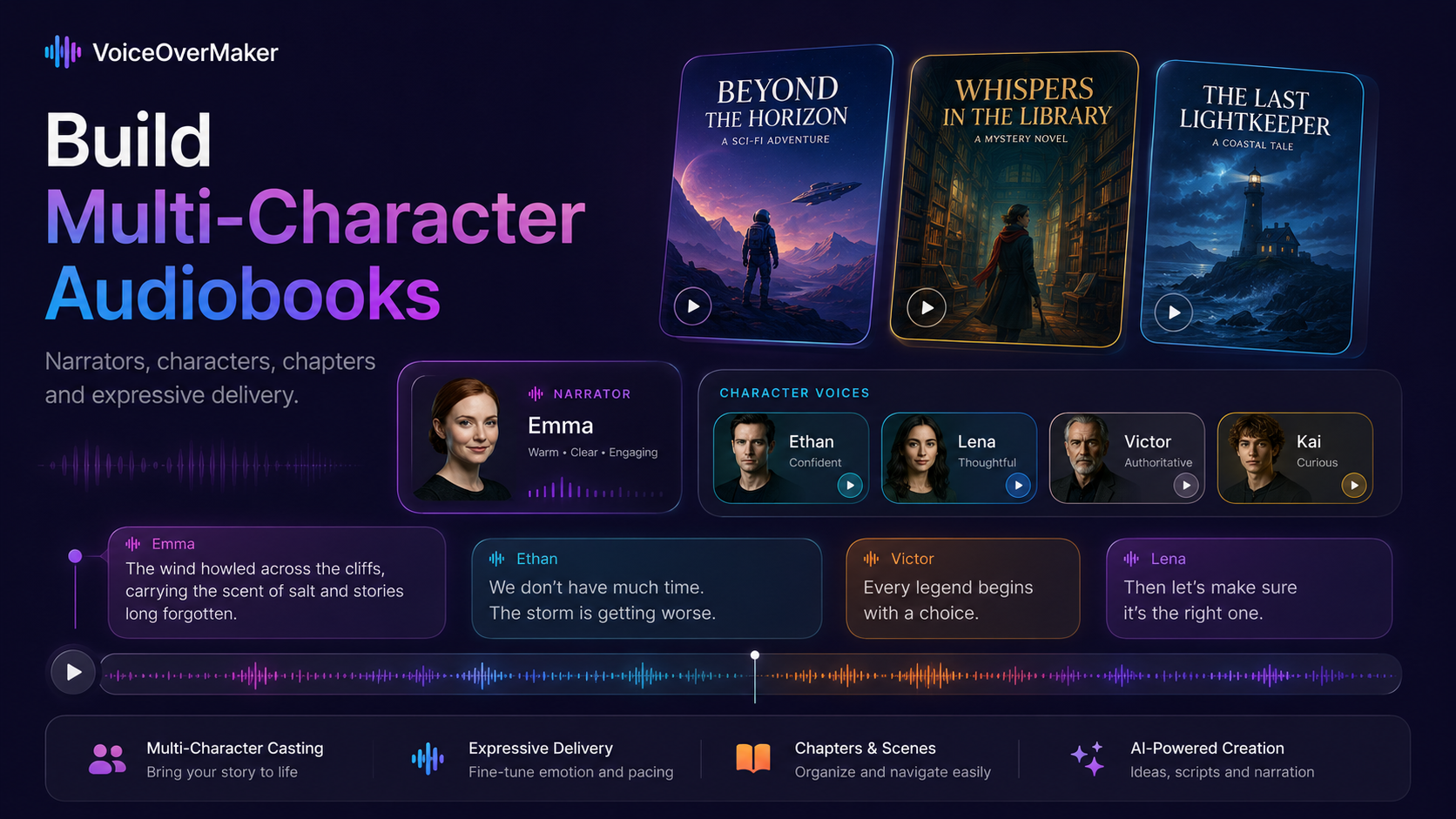
Children's stories are hard to narrate well. Multiple characters, voices shifting rapidly between dialogue, pauses that create tension, and an energy level that holds a child's attention from beginning to end. A flat reading kills the magic. An overproduced one feels artificial. The best audiobooks for children live in the space between -- expressive enough to captivate, natural enough to feel like someone is truly reading to them.
This guide walks through how to create a children's audiobook using AI character voices in VoiceOverMaker. Not just how to generate speech, but how to think about narration, character distinction, pacing, and performance so the result sounds like a story worth listening to again and again.
Start With the Story, Not the Technology
Before opening the app, read through your story and identify the voices it needs. Every children's book has roles, even if only two characters speak.
For example, a simple adventure story might require:
- Narrator — warm, steady, patient. The guide through the story.
- Milo (the hero) — curious, energetic, slightly breathless when excited.
- Zoe (the friend) — confident, encouraging, a little louder than Milo.
- Atlas (the guide) — witty, calm, older-sounding. Drops wisdom between jokes.
Writing down these roles before you start means you will not lose time experimenting aimlessly. You know what each voice needs to feel like. The technology then becomes the tool that matches that feeling to a sound.
Choose a Warm Narrator
The narrator carries the story. In children's audiobooks, the narrator voice should feel like a trusted adult reading aloud — clear diction, moderate pacing, warmth without being saccharine.
When auditioning narrator voices in VoiceOverMaker, test two contrasting passages:
- A calm passage — a scene description, a quiet moment. The voice should sound patient and unhurried.
- An exciting passage — a chase, a discovery, a plot twist. The same voice should sound like it is leaning forward, engaged, slightly faster.
If the voice handles both well, it is your narrator. If it sounds flat on the exciting passage or rushed on the calm one, try another. The narrator must have range.
Clarity matters especially for younger audiences. Children are still building vocabulary — they need to hear every word distinctly. Avoid voices with heavy stylization or mumbled consonants, no matter how pleasant they sound in isolation.
Give Important Characters Recognizable Voices
Children identify characters by voice faster than adults do. A well-chosen voice becomes the character in a child's mind within seconds. Here is what separates characters acoustically:
- Age — younger voices have higher pitch and faster rhythm.
- Energy — an excited character speaks in shorter bursts; a calm character lets sentences breathe.
- Pitch — even small pitch differences make two characters instantly distinct.
- Rhythm — some characters speak in long flowing sentences; others in clipped, punchy phrases.
- Accent or regionalism — subtle differences in pronunciation create memorable texture.
- Personality — a nervous character hesitates; a bold character starts sentences at full volume.
You do not need to make every difference dramatic. Even two or three distinguishing traits per character are enough. A child hearing Milo's quick, curious delivery after Atlas's slow, knowing drawl will never confuse the two.
If you are working on a story with many characters, our guide to multi-character audiobook production goes deeper into voice casting strategies.
Use Pauses to Build Curiosity
Pacing is the most underrated tool in children's audiobooks. A well-placed pause transforms an ordinary line into a moment of suspense.
"She opened the door... and what she found inside... changed everything."
Without the pauses, that sentence is information. With them, it is an experience. The child's imagination fills the gaps. They lean in. They wonder.
In VoiceOverMaker, you control pacing through punctuation and line breaks in your script. Ellipses create brief holds. Paragraph breaks create longer pauses. Em-dashes create abrupt stops that signal a shift in energy.
Use these deliberately:
- Before a reveal — pause to let anticipation build.
- After a question — let the child think before the story continues.
- Between scenes — a longer pause signals "we are somewhere new now."
- After a joke — give the humor room to land.
Children are not in a hurry. They process stories at their own speed. Generous pacing respects that.
Separate Characters Into Performance Blocks
Rather than generating your entire story in one pass, treat each speaker as an individual performance. This is where VoiceOverMaker's multi-voice workflow shines.
Break your script into blocks by speaker:
- Block 1 (Narrator): "The forest was quiet that morning. Milo walked alone between the tall oaks, his footsteps crunching on dried leaves."
- Block 2 (Milo): "Hello? Is anyone there?"
- Block 3 (Narrator): "A voice answered from high above."
- Block 4 (Atlas): "Up here, young one. You are late."
Each block gets its own voice, its own energy, its own intention. The result sounds like a performed story rather than a read-aloud document. This approach takes more setup time but the quality difference is immediately obvious -- especially to children, who notice when voices feel "real."
For a complete walkthrough of converting a full book into audiobook format, see how to turn a book into an audiobook with AI.
Listen Before Generating the Entire Story
Generate one scene first. Just one. Then listen with fresh ears and ask yourself:
- Does the narrator feel right? — warm but not sleepy, clear but not clinical.
- Can you tell characters apart? — without seeing labels, do the voices sound like different people?
- Is the energy level appropriate? — too much energy exhausts young listeners. Too little loses them.
- Do pauses land? — are the dramatic moments given breath, or does the narration rush past them?
- Would a child want to hear this again? — the ultimate test. Children re-listen to what they love.
If something feels off in one scene, it will feel off in twenty. Fix it now. Adjust the voice selection, rewrite the pacing cues, or restructure the dialogue blocks. One well-produced scene teaches you everything you need for the rest of the book.
Children's Books Can Become More Than Audiobooks
Once you have character voices and narration working well, your story can live in multiple formats:
- Narrated audiobooks — the classic format. Export and listen anywhere.
- Educational videos — pair the audio with illustrations or animations for classroom use.
- YouTube storytelling — combine narration with simple visuals for a story channel.
- Bedtime stories — use the sleep timer feature so the story fades as your child drifts off.
- Podcast episodes — serialize longer stories into episodes children look forward to each week.
The voice work you do once in VoiceOverMaker becomes the foundation for all of these. One production, many outputs.
Create Your Story With VoiceOverMaker
VoiceOverMaker gives you everything covered in this guide — multi-character voice assignment, expressive AI narration, pacing control through script formatting, and export options for any platform.
Start with one scene. Choose your narrator. Assign character voices. Listen. Adjust. Then build your full children's audiobook with confidence that every voice, every pause, and every moment of energy is working exactly as your story needs it to.
The app is free on iPhone and iPad. No recording equipment. No voice actors. Just your story and voices that bring it to life.