Self-published authors are adding audiobooks to their catalog at record pace. The reason is straightforward: audiobook revenue has grown double digits year over year, and readers increasingly expect an audio option alongside ebook and print editions. The problem has always been cost.
Traditional audiobook production runs between $2,000 and $5,000 for a standard-length novel. For many indie authors operating on tight margins, that investment is difficult to justify, especially for backlist titles or first books without proven sales. AI narration changes those economics entirely, making it possible to produce a professional-quality audiobook for a fraction of the cost and in a fraction of the time.
Why Self-Published Authors Are Adding Audio
The audiobook market has grown consistently over the past decade, with revenues now exceeding $2 billion annually in the US alone. Listeners consume audiobooks during commutes, workouts, and household tasks, and they are actively searching for new content.
- Expanded reach: Audio opens your book to listeners who may never pick up a print or ebook edition
- Platform visibility: Amazon, Findaway Voices, Kobo, Google Play Books, and Apple Books all actively promote audiobooks to their user bases
- Revenue diversification: An audiobook creates a new income stream from existing content without writing anything new
- Reader expectation: Many readers now check for audio availability before purchasing and will skip titles that lack it
- Discoverability: Audiobook-specific search and recommendation algorithms introduce your work to entirely new audiences
For indie authors publishing through KDP, IngramSpark, Draft2Digital, or similar platforms, adding an audiobook completes the format trifecta that readers have come to expect.
The Traditional Audiobook Production Process
Understanding what traditional production involves helps clarify why AI narration represents such a significant shift for independent authors.
A traditional audiobook production typically requires:
- Narrator hiring: Professional narrators charge $200-$400 per finished hour. A 10-hour audiobook runs $2,000-$4,000 for narration alone
- Studio time: Recording happens in professional studios or carefully treated home studios, adding scheduling complexity
- Multiple sessions: A full-length novel takes 20-40 hours of raw recording time, spread across multiple sessions
- Editing and mastering: Raw recordings need professional editing to remove mistakes, mouth clicks, and background noise
- Quality control: Someone must listen to the entire finished product to catch pronunciation errors and consistency issues
- Timeline: The full process typically takes 4-8 weeks from narrator booking to finished files
For authors with bestselling titles and proven revenue, this investment makes sense. For most indie authors, particularly those with multiple titles or newer releases without sales history, the math simply does not work out.
Where AI Narration Changes the Workflow
AI audiobook creation addresses each of the traditional bottlenecks:
| Factor | Traditional | AI Narration |
|---|---|---|
| Cost | $2,000 - $5,000+ | Under $100 |
| Timeline | 4-8 weeks | 1-3 days |
| Revisions | Expensive re-records | Unlimited, instant |
| Voice options | One narrator | Multiple voices included |
| Equipment needed | Studio or treated room | iPhone |
| Scheduling | Weeks of coordination | Work on your schedule |
The key advantage is not just cost reduction. AI narration gives authors complete creative control. You can experiment with different voice styles, adjust pacing for specific scenes, and revise individual passages without rebooking a narrator or paying additional session fees.
Step 1: Prepare Your Manuscript
Before generating audio, your text needs preparation specifically for spoken performance. What reads well on paper does not always translate directly to spoken word.
- Remove visual elements: Headers, page numbers, chapter numbers styled as text, footnote markers, and any formatting that exists purely for print layout
- Format dialogue clearly: Ensure dialogue attribution is consistent so character voices can be assigned properly
- Spell out abbreviations: Convert "Dr." to "Doctor" and "St." to "Street" or "Saint" depending on context
- Test pronunciation: List character names, place names, and made-up words that might be mispronounced. Prepare phonetic guides
- Mark scene breaks: Indicate where pauses should occur between scenes to give listeners breathing room
- Handle front and back matter: Decide what to include. Most audiobooks skip table of contents but include dedications and acknowledgments
This preparation step is identical whether you use AI or human narration. The difference is that with AI, you can immediately test how your prepared text sounds and iterate quickly.
Step 2: Create Narrator and Character Roles
The most engaging audiobooks, even those using AI narration, distinguish between the narrator voice and character voices. This does not mean creating dramatically different voices for every character, but rather establishing clear vocal identities.
Start by defining:
- Primary narrator: Choose a voice that matches your book's tone. A literary fiction novel calls for a different narrator presence than a thriller or romance
- Main characters: Assign voices that listeners can distinguish in dialogue-heavy scenes
- Supporting characters: These can share vocal qualities but should still feel distinct when speaking
- Internal monologue: Decide whether character thoughts use the narrator voice or the character voice
With VoiceOverMaker, you can assign different AI voices to different characters, creating an immersive multi-character experience without hiring multiple narrators.
Step 3: Generate a Sample Chapter
Do not start with chapter one. Pick a chapter that represents your book's range. Ideally, choose one that contains:
- Extended narration (description, world-building)
- Dialogue between two or more characters
- Emotional variation (tension, humor, or tenderness)
- Any unusual elements (foreign words, technical terms, poetic language)
Generate this chapter fully and listen to it without interruption, as a reader would. Take notes on what works and what needs adjustment. This sample chapter becomes your quality benchmark for the rest of the book.
Step 4: Review Pronunciation and Pacing
After generating your sample, focus on two critical areas:
Pronunciation
AI voices handle common English pronunciation well but may stumble on:
- Invented character names (Aerithandel, Kvothe, Xia)
- Real place names with non-obvious pronunciation (Gloucester, Versailles when used in English context)
- Technical jargon specific to your genre
- Foreign language phrases embedded in English text
Pacing
Listen for sections where the narration feels rushed or where pauses are needed:
- Scene transitions should have noticeable pauses
- Dramatic moments benefit from slightly slower delivery
- Dialogue tags ("she said") should flow naturally from the spoken dialogue
- Lists and technical explanations may need slower pacing than action sequences
Make adjustments and regenerate only the affected passages. This is where AI narration particularly excels: fixing one paragraph does not require re-recording an entire session.
Step 5: Edit Individual Performance Blocks
One of the most powerful aspects of AI audiobook creation is the ability to edit at the block level rather than regenerating entire chapters.
If a single paragraph sounds flat, or a character's voice does not match the emotional intensity of a scene, you can:
- Regenerate just that specific block with different emotional direction
- Adjust speed for a particular passage without affecting surrounding audio
- Try a different voice for a character in one section and compare
- Add emphasis to key words or phrases
This block-level editing means your final audiobook is assembled from the best version of each passage, something that would require expensive punch-and-roll recording techniques in a traditional studio.
Step 6: Complete Remaining Chapters
With your sample chapter approved and your voice assignments established, work through the remaining chapters systematically.
- Maintain consistency: Use the same voice assignments throughout. Listeners notice if a character suddenly sounds different in chapter 12
- Work in order: Processing chapters sequentially helps you catch continuity issues
- Batch similar work: Do all generation first, then do a review pass, then fix issues. Context-switching between creation and review slows you down
- Track changes: Keep notes on pronunciation decisions and pacing adjustments so you remain consistent across chapters
For a typical 80,000-word novel, expect to spend 1-2 full days on generation and 1-2 days on review and refinement. Compare this to the 4-8 week timeline of traditional production.
Step 7: Export and Prepare for Distribution
Once all chapters are complete and reviewed, export your audio files. Most distribution platforms require specific formats:
- ACX (Audible): MP3 or M4A, 192 kbps or higher, mono or stereo, specific RMS and peak levels
- Findaway Voices: WAV or FLAC preferred, chapter-level files
- Direct sales (Gumroad, Payhip, Shopify): Any format you choose, typically MP3 for file size
- Author website: Consider offering sample chapters as marketing material
For detailed guidance on the economics of different distribution options, see our guide on audiobook production costs and pricing strategies.
AI vs Human Narration for Indie Authors
This is not an either-or decision. Many authors use AI narration strategically alongside human narration:
| Consideration | Human Narration | AI Narration |
|---|---|---|
| Performance depth | Exceptional for character acting | Good and improving rapidly |
| Emotional nuance | Subtle and intuitive | Directed per-block |
| Cost per title | $2,000-$5,000+ | Under $100 |
| Revision speed | Days to weeks | Minutes |
| Best for | Flagship titles, heavy dialogue | Backlist, non-fiction, series |
| Creative control | Collaborative | Complete author control |
A practical strategy: use AI narration to get your backlist into audio quickly, generate revenue, and reinvest that revenue into human narration for your flagship or most dialogue-heavy titles.
The VoiceOverMaker Workflow for Authors
VoiceOverMaker was built with exactly this workflow in mind. As a mobile-first audiobook creation tool for iPhone, it gives self-published authors the ability to produce professional audiobooks anywhere.
- Multi-character support: Assign distinct voices to your narrator and characters without managing multiple software tools
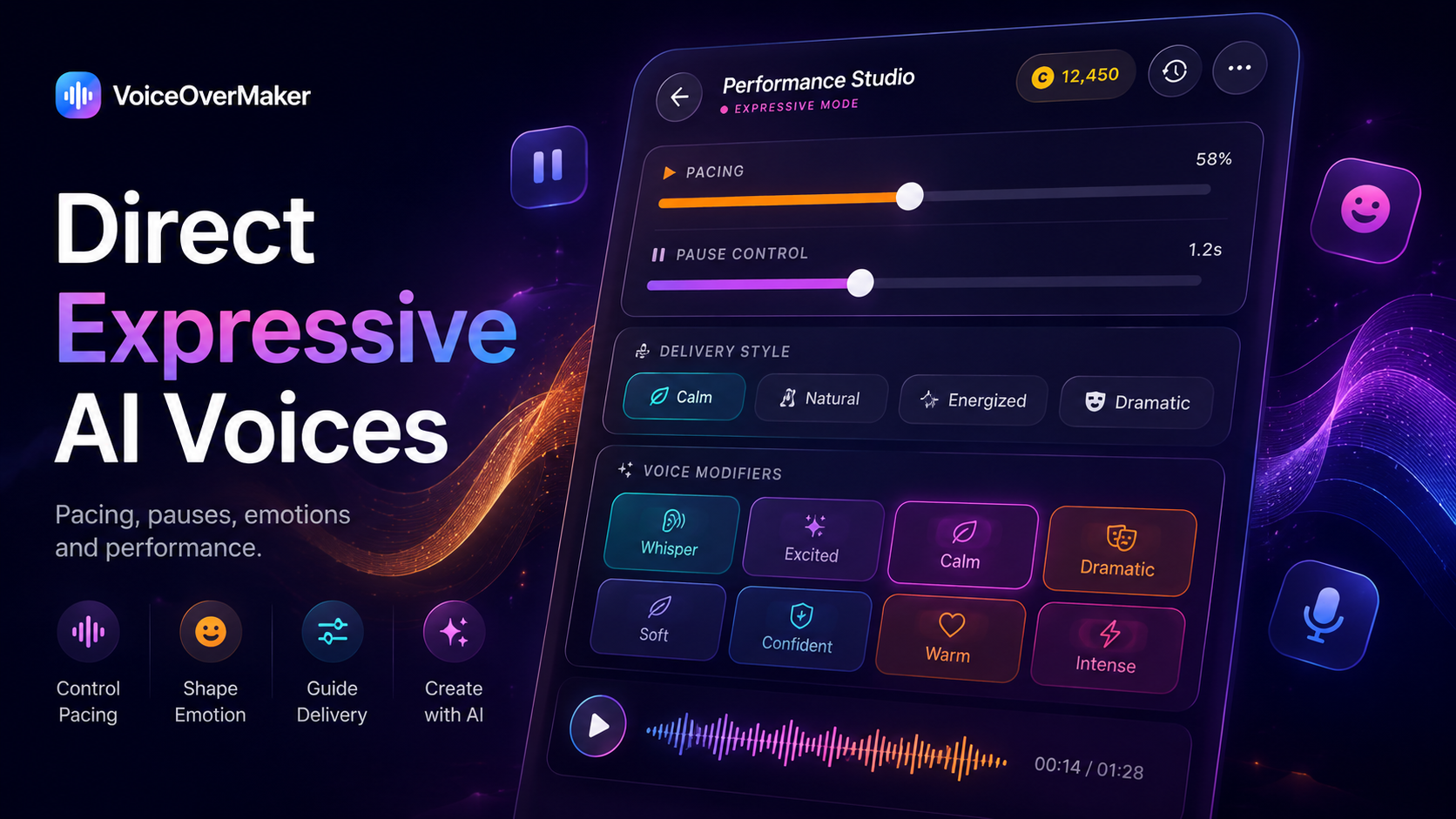
- Expressive direction: Control emotion, pacing, and emphasis at the paragraph level
- Chapter management: Organize your audiobook by chapter with easy navigation between sections
- Block-level editing: Fix individual passages without regenerating entire chapters
- Export flexibility: Save audio files ready for distribution platforms
The complete process from manuscript to finished audiobook can happen entirely on your phone, fitting into the fragmented schedule most indie authors manage around day jobs and other responsibilities.
The best time to create your audiobook was when your book launched. The second best time is today.